Chrome Extension + Web App launch: February 22, 2026

PDF Editor for Chrome and Web: add text, draw, highlight and annotate PDFs.

Both products launch on February 22, 2026. Same editing model, same focus: no bulky software and no flattened workflow.

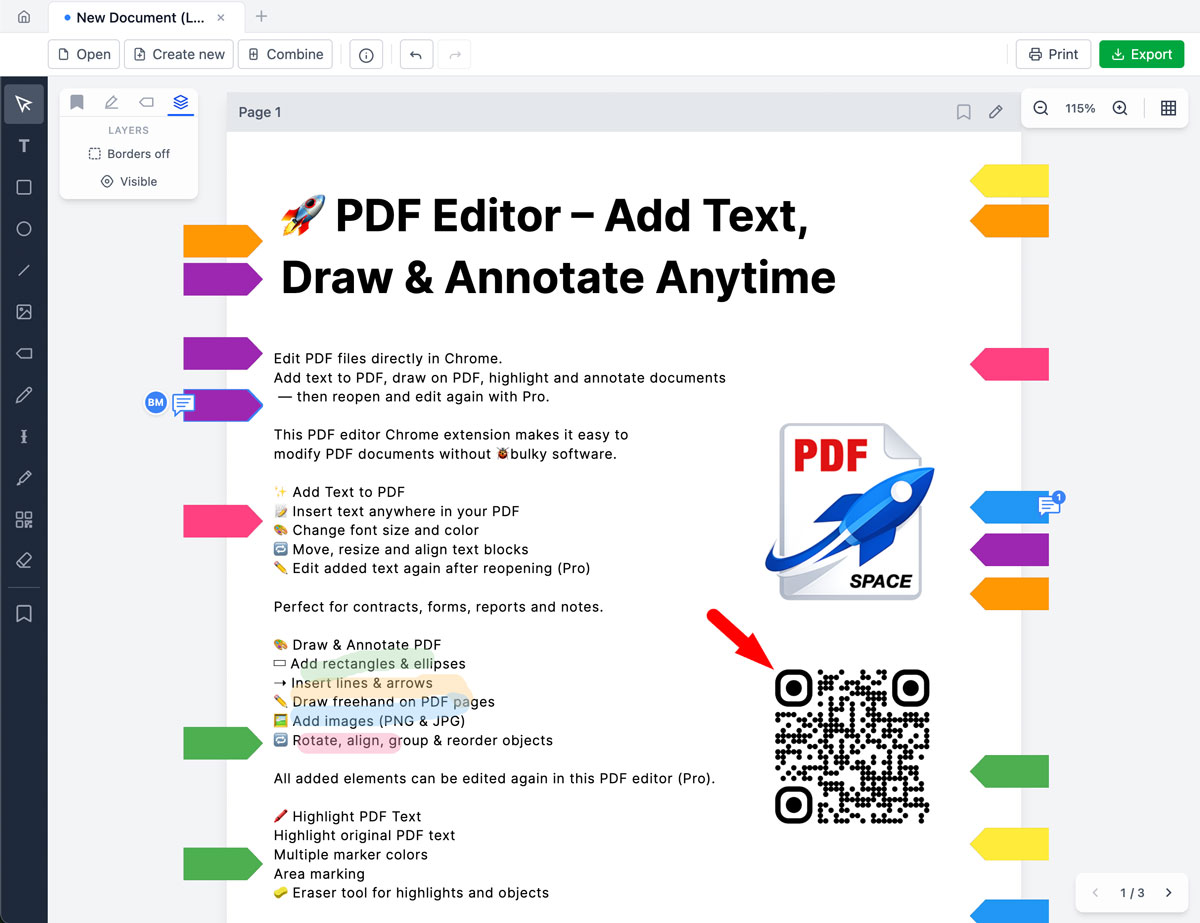
Edit PDF files directly in browser, including text, shapes, images, highlights, QR/barcodes and page structure.

  • Works offline in Chrome
  • No document content tracking
  • Re-edit added objects with Pro
Original PDF
Text + Emoji
Approved ✅ 😀
Highlight
Drawing Layer

Two products, one editing approach

Both products become available on February 22, 2026.

Chrome Extension

Available February 22, 2026

Edit PDFs directly in Chrome: text, drawings, highlights, page tools and annotations.

  • Add text, emoji and annotations
  • Draw shapes, arrows, freehand strokes
  • Merge and manage pages
Chrome Web Store (from Feb 22)

Web App

Available February 22, 2026

Same core workflow in a dedicated online app, with direct access without extension setup.

  • Open and edit PDFs in browser tabs
  • Pro re-edit flow for added objects
  • Built for multi-document work
Web App (from Feb 22)

Core features

From simple edits to full document workflows.

Add Text + Emoji
  • Insert text anywhere in PDF pages
  • Control font size and color
  • Emoji rendered correctly in export
Draw & Annotate
  • Rectangles, ellipses, lines, arrows
  • Freehand drawing with smoothing
  • Add PNG and JPG images
Highlight Tools
  • Highlight original PDF text
  • Multiple marker colors
  • Eraser for highlights and objects
Merge & Manage Pages
  • Merge PDFs into one document
  • Insert, remove and duplicate pages
  • Bookmark and jump to pages fast
QR & Barcode Generator
  • Generate QR and barcode elements
  • Customize color and visual style
  • Add logo in QR with Pro
Multi-Document Workflow
  • Open many PDFs in tabs
  • Copy elements between documents
  • Faster work across large sets

Free and Pro plans

Choose Free for core editing, or Pro for full round-trip editing.

Free

$0/month

Great for day-to-day PDF editing

  • Edit PDFs
  • Final export
  • Add text blocks and emojis
  • Draw and annotate (shapes, lines, arrows, freehand)
  • Highlight original PDF text and areas
  • Eraser for highlights and objects
  • Add PNG and JPG images
  • Merge PDFs into one document
  • Insert, remove and duplicate pages
  • Bookmark pages and jump quickly
  • Generate QR codes and barcodes
  • Multi-document workflow in tabs
  • Works offline in Chrome
  • No document content tracking
Recommended

Pro

from $2.42/month

Annual billing ($29/year). Launches February 22, 2026.

Also available: Lifetime access for $39 (one-time payment).

  • Everything in Free
  • Editable export (round-trip)
  • Reopen and edit added objects again
  • Advanced object controls (align, rotate, reorder, group)
  • QR logo support and advanced options
  • Priority updates for pro workflow features

Important

This editor does not modify existing PDF text. Only text, drawings and objects added in this editor can be re-edited with Pro.

If a file is opened and saved in another PDF editor, re-edit functionality may be permanently removed.

FAQ

Does it work offline?

Yes. The Chrome extension works offline for local PDF editing.

Do you track document content?

No. Document content is not tracked.

Can I print selected pages?

Yes. You can preview and print selected pages.

Chrome Extension and Web App launch on February 22, 2026.

Add text. Draw. Annotate. Reopen and edit again.