Edit PDF Online – Fast, Secure & Fully Editable in Your Browser
No downloads, no uploads, no bulky software. A look at editing PDFs directly in the browser.
Edit PDF Online — Without Installing Anything
Need to edit PDF online quickly and professionally? PDFSpace editor is a browser-based tool that lets users modify documents instantly — no downloads, no bulky software, no file uploads to third-party servers.
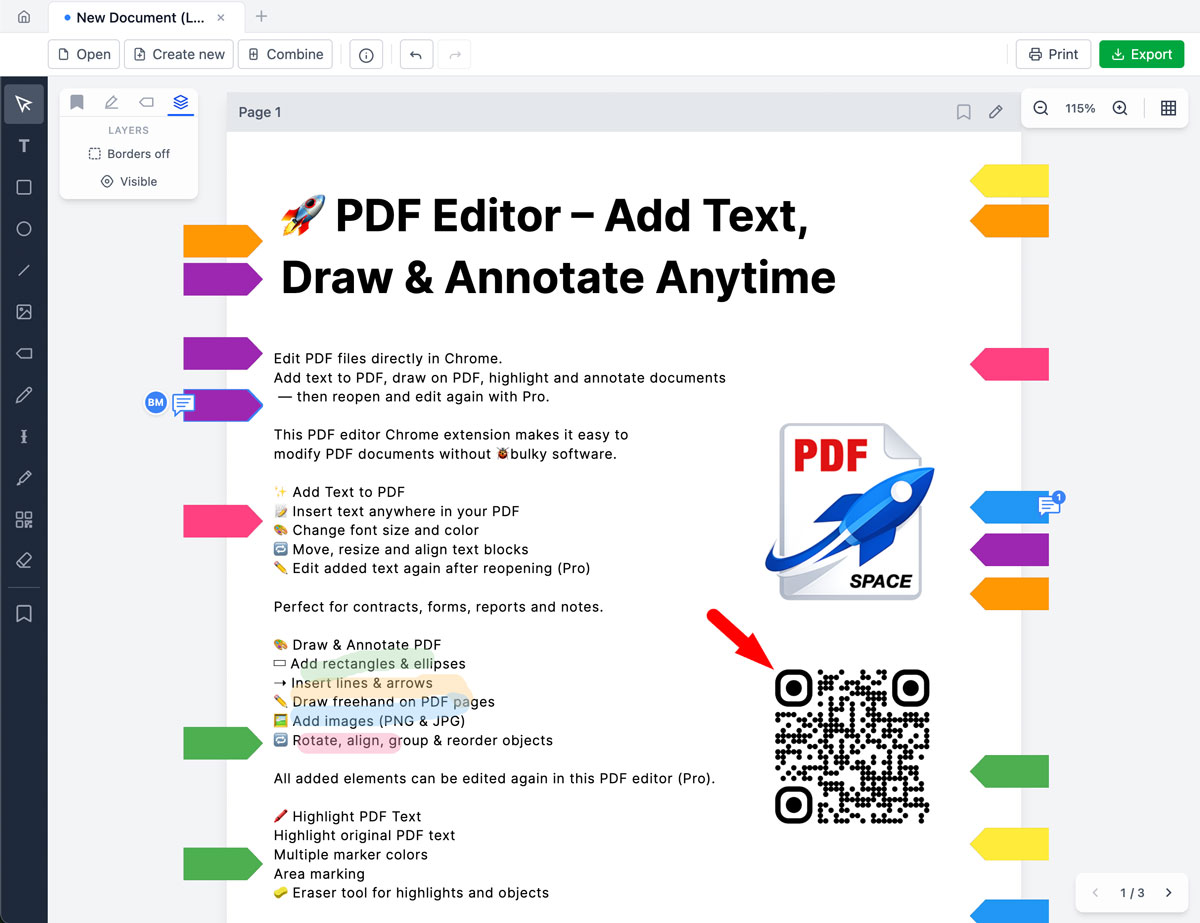
Whether it's contracts, forms, reports, study materials, or business documents, the editor supports:
- Adding text anywhere in a PDF
- Changing font size, color & formatting
- Highlighting important sections
- Inserting arrows, lines, shapes
- Adding images or logos
- Inserting real emojis (yes, actual emoji support)
- Reopening and editing again later (Pro feature)
Everything works directly in the browser.
Why This Online PDF Editor Stands Out
Instant Editing
Open a PDF and start editing immediately. No waiting, no software installation.
100% Private & Local Processing
Files stay on the user's device. Documents are not uploaded to external servers. This makes it suitable for sensitive contracts, internal documents, and confidential materials.
Fully Editable Layers (Pro)
Unlike many tools, everything added remains editable:
- Move text blocks
- Resize shapes
- Adjust annotations
- Re-edit previously saved files
Annotations are not "burned" into the document unless the user explicitly chooses a final export.
Powerful Features to Edit PDF Online
Add & Edit Text
- Insert text anywhere
- Adjust font size & color
- Align and position precisely
- Reopen and edit text again later (Pro)
Useful for filling forms, updating contracts, correcting typos, and adding comments.
Draw & Annotate
- Freehand drawing
- Rectangles & ellipses
- Lines & arrows
- Visual markup for reviews
Works well for feedback, educational materials, technical reviews, and team collaboration.
Highlight Important Content
Key paragraphs and sections can be marked clearly, making PDFs easier to read and review.
Real Emoji Support
Most PDF editors fail to properly render emojis because standard PDF fonts don't support them. The PDFSpace editor ensures emojis remain visible in exported PDFs, scale cleanly, and display correctly in standard PDF viewers.
Particularly handy for modern reports, checklists, creative documents, and educational content.
Who Is This For?
- Students annotating study materials
- Professionals reviewing contracts
- Teachers preparing learning documents
- Businesses updating internal PDFs
- Teams collaborating on reports
Anyone who needs to edit PDF online quickly and safely will find this tool practical.
Reopen & Continue Editing (Pro)
Most free PDF editors let users add text once — and that's it. After export, everything becomes flattened and non-editable.
With the Pro plan:
- Open previously saved files
- Edit previously added text
- Move shapes
- Update annotations
- Continue where things left off
This makes it a true working editor — not just a one-time annotation tool.
FAQ
Is it really online?
Yes. It works in the browser — no installation required.
Are files secure?
Yes. Files are processed locally in the browser and are not uploaded to external servers.
Can files be edited again later?
Yes — with Pro, edited PDFs can be reopened and modified further.
Ready to Edit PDF Online?
Skip the complicated software. Start editing in seconds.
Edit PDF Online Now