PDF Text Editor Online – Edit, Add & Update Text in Any PDF
A closer look at a browser-based PDF text editor that keeps text layers editable.
PDF Text Editor Online — Simple, Fast & Secure
Finding a PDF text editor online that actually lets you work with text — not just view it — can be surprisingly difficult. PDFSpace editor is a browser-based tool built specifically for this purpose.
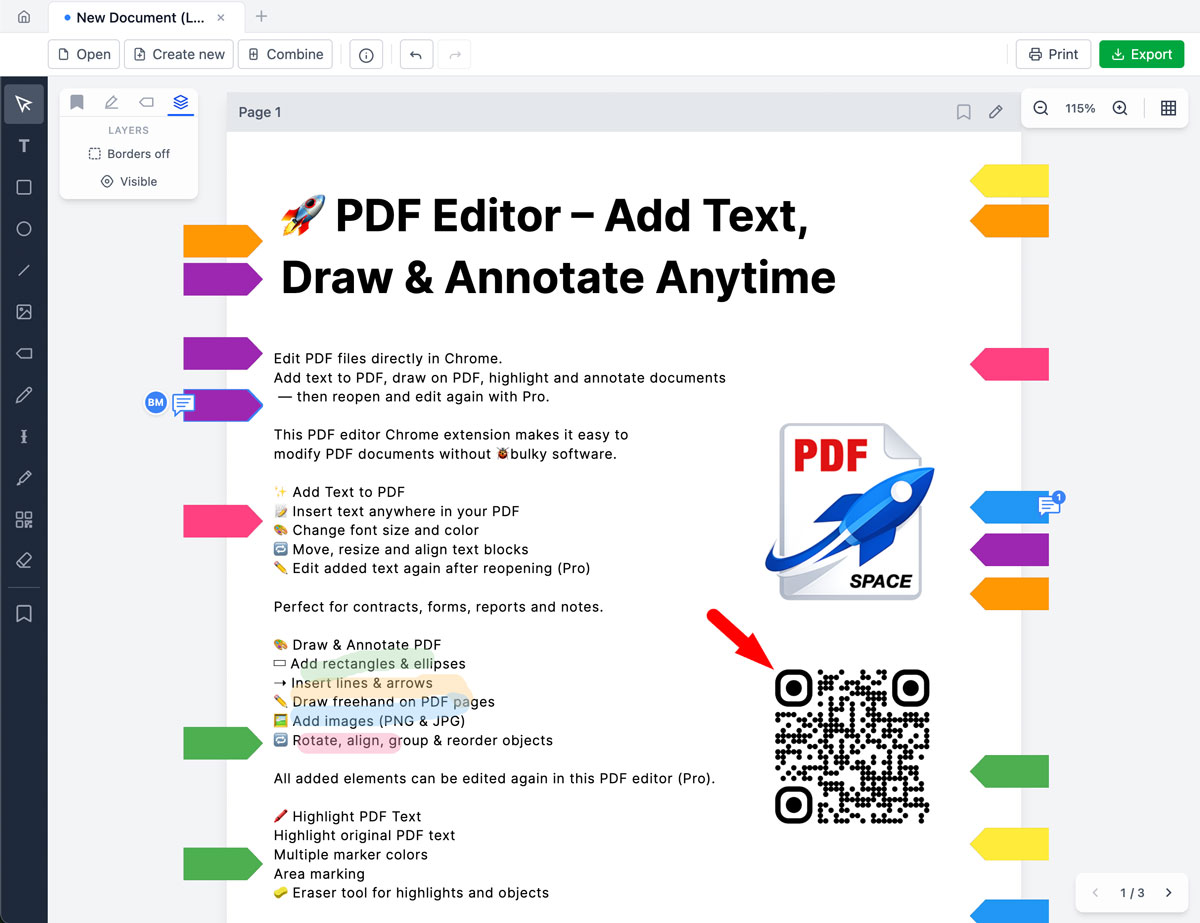
The editor allows users to:
- Add text anywhere in a document
- Modify inserted text anytime
- Change font size and color
- Reopen and continue editing later (Pro)
- Keep files private — everything runs locally
No downloads. No complicated software. No unnecessary steps.
Why a Real PDF Text Editor Online Matters
Many tools claim to edit PDFs — but in practice, they:
- Flatten text after export
- Don't allow reopening for editing
- Limit formatting options
- Upload documents to external servers
The PDFSpace editor takes a different approach: true editable text layers, full control over formatting, the ability to continue editing saved files, and complete privacy.
Powerful Text Editing Features
Add Text to Any PDF
Text can be inserted exactly where needed:
- Fill out forms
- Update contracts
- Correct mistakes
- Add notes and comments
Text blocks can be positioned, resized, and aligned precisely.
Customize Formatting
Documents can be kept looking professional:
- Adjust font size
- Change text color
- Control alignment
- Resize text boxes freely
Changes integrate cleanly into the document layout.
Edit Again Later (Pro Feature)
Unlike most tools, this PDF text editor online allows users to:
- Open edited files again
- Modify previously added text
- Move text blocks
- Adjust formatting
- Continue the workflow
This transforms it from a simple annotator into a real working editor.
More Than Just Text
While text editing is the core feature, the editor also supports:
- Highlighting important sections
- Adding arrows and lines
- Inserting rectangles & shapes
- Freehand drawing
- Adding images
- Inserting real emojis (fully visible in exported PDFs)
Everything stays clean and professional.
100% Private & Browser-Based
Documents stay on the user's device. Files are not uploaded to third-party servers.
This makes the tool well-suited for legal documents, business contracts, academic materials, and internal company files.
Who Is This PDF Text Editor Online For?
- Professionals editing contracts
- Students annotating study PDFs
- Teachers updating materials
- Teams reviewing reports
- Businesses correcting official documents
For anyone whose workflow depends on modifying text inside PDFs, this is a practical option worth trying.
Start Editing PDF Text Now
Open a document. Add or update text. Export when ready.
Try PDF Text Editor Online